AI-written, grammatically correct.

MeetingCostv1.0
Eleven days from scaffold to the Mac App Store. The ship-apps architecture cleared Apple Review, IAP and all.
Note
This post is the test result of an architecture experiment. The question: can an app produced almost entirely by a Claude Code agent, following a template-driven pipeline, clear Apple's App Review, including the extra scrutiny that comes with In-App Purchase? The answer arrived at 01:47 AM this morning as a push notification on my phone.
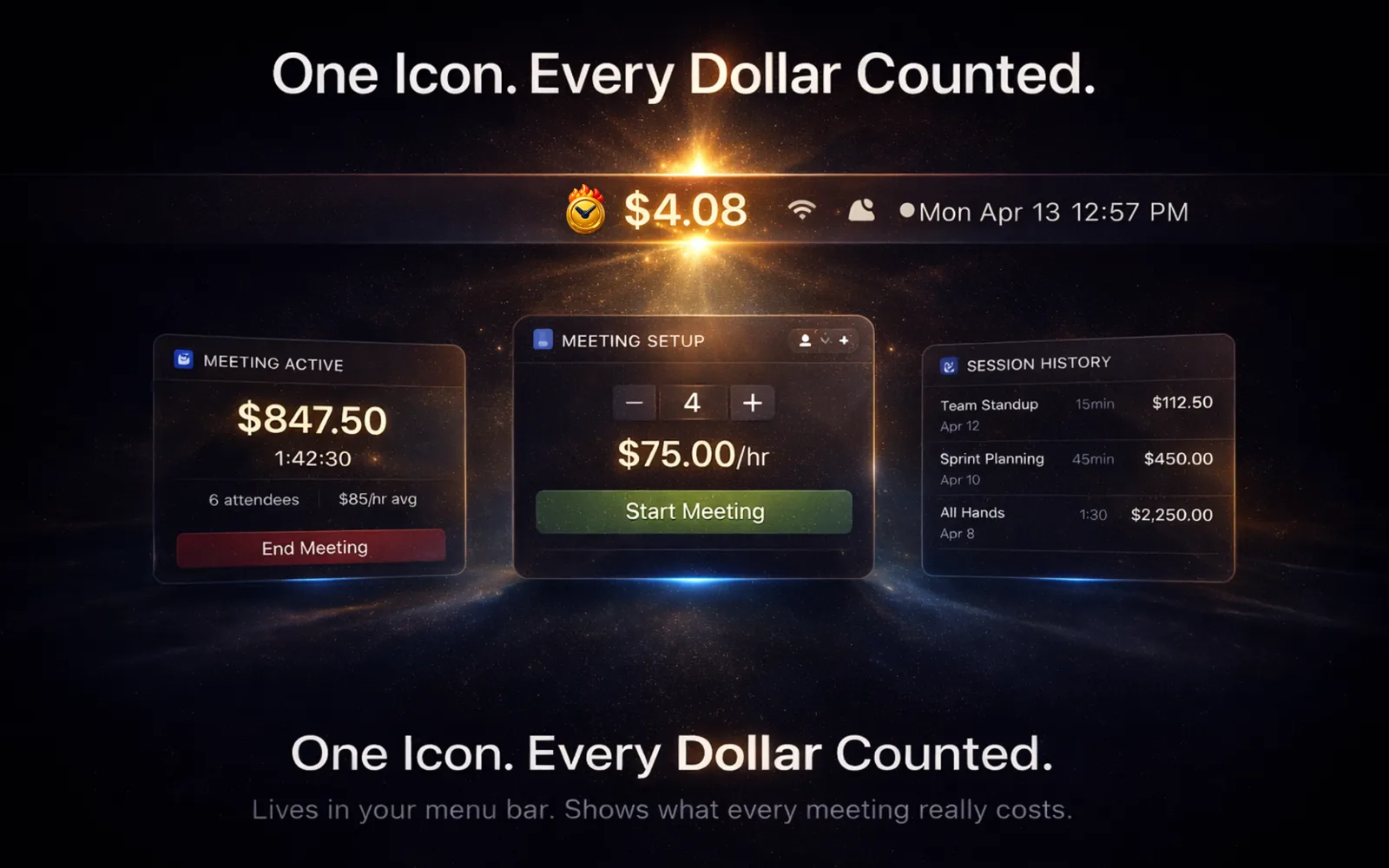
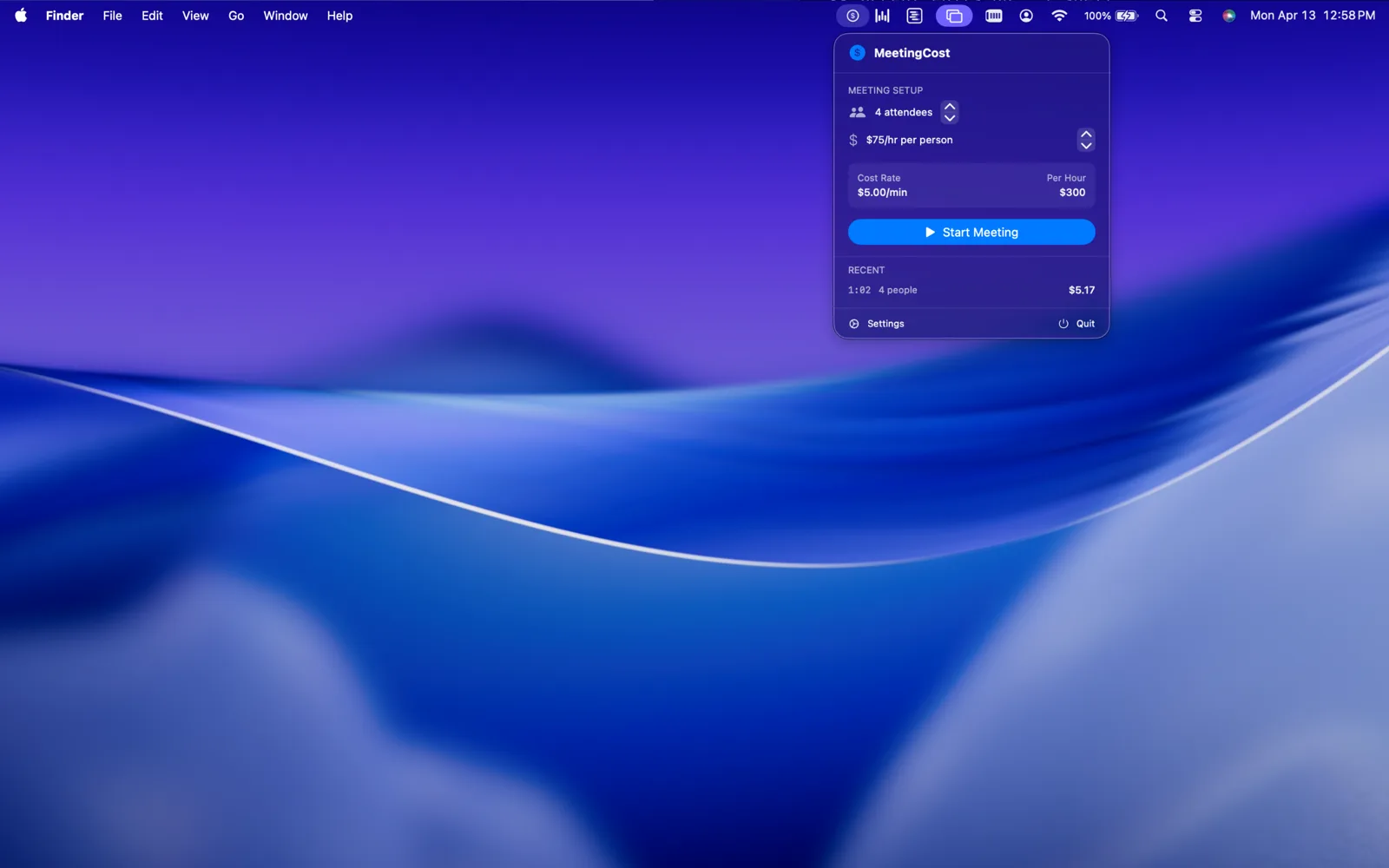
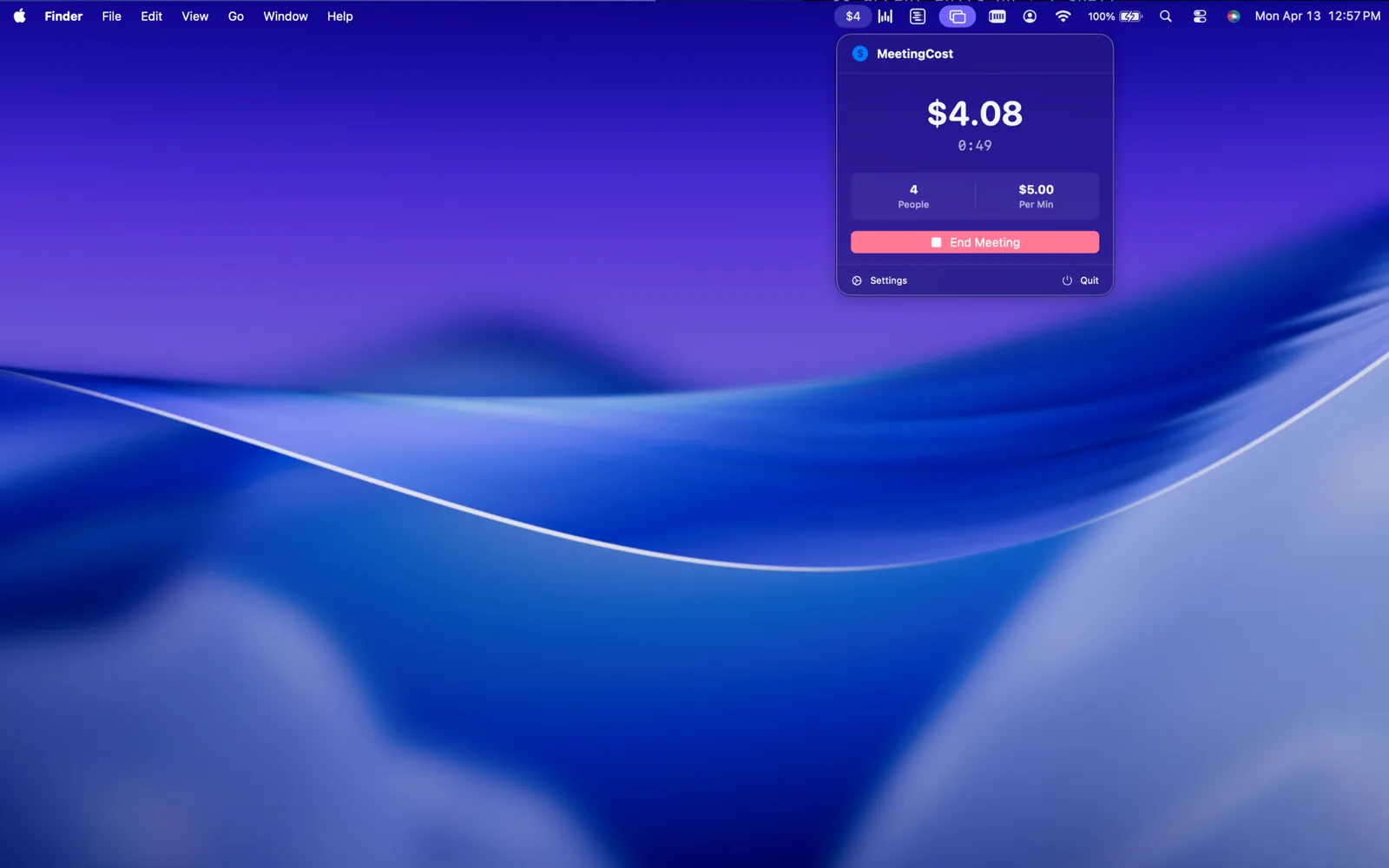
MeetingCost is a macOS menu bar app. You set an attendee count and an average hourly rate, you hit start, and it ticks up the cost of the meeting in real time. Free tier caps at 10 attendees and 3 recent sessions. A $2.99 one-time IAP ("Team Features") unlocks 100 attendees, 10 sessions, saved meeting templates, and CSV export.
But this post isn't really about what MeetingCost does. It's about how it got there.
The ship-apps architecture: what we were testing
"Ship-apps" is a deliberate, three-layer pipeline that lives at ~/ship-apps/:
-
Two Swift templates: a macOS
MenuBarExtrautility and an iOS widget-first utility. Both come pre-wired with Swift 6 strict concurrency, SwiftUI-first architecture, App Sandbox, XcodeGenproject.yml, SwiftLint config, and aCLAUDE.mdthat teaches the AI the project rules before it writes a single line. -
A
/ship-appscaffolding skill: a Claude Code skill that copies a template into~/ship-apps/<AppName>/, renames everyAppTemplatereference, inits git, runsswift buildto verify it compiles, and prints the next steps. Zero to compiling skeleton in under a minute. -
An
app-builderagent: a dedicated Claude Code agent whose job is to readSPEC.mdand implement it. Write Swift. Build. Lint. Commit. Nothing more, nothing less. Its instructions explicitly say:You do NOT submit to the App Store. That is a human gate. You do NOT modify SPEC.md. The spec is the source of truth. You do NOT add features beyond the spec.
That shape (templates, scaffolding, agent) is the architecture. The question was whether it could produce App Store quality without a human writing most of the code.
The timeline
Eleven days // four waypoints
- Day 0Apr 12Day 0Apr 12
/ship-app MeetingCost macosscaffolds the repo. I writeSPEC.md. Theapp-builderagent runs, writes 1,396 lines of Swift across 16 files, makes one commit, and exits. - Day +1Apr 13Day +1Apr 13Icons generated (ChatGPT/DALL-E with an explicit prompt: bold dollar sign on a charcoal-to-gold gradient), sized into a 7-resolution AppIcon set. Four App Store screenshots rendered.
- Day +3Apr 15Day +3Apr 15First submission pulled from review to add StoreKit 2 IAP,
PaywallView,IAPManager, andPrivacyInfo.xcprivacy. Rebuilt as build 3. Re-submitted. - Day +11Apr 23Day +11Apr 23Approved01:47 AM. Phone alert.
Eleven days. One commit. One pull-and-resubmit cycle for IAP plumbing I hadn't initially specced. No rejection.
What "one commit" actually means
That first commit, feat: initial MeetingCost implementation, contains the entire app:
MeetingManager.swift: the session state machine and Task-based timerMenuBarView.swift: 278 lines, the menu bar popover UISettingsView.swift: tabbed settings (General, About, Team Features)AppDefaults.swift: typed UserDefaults via Sindre Sorhus'sDefaultsSessionHistory.swift: the recent-sessions modelMeetingCostApp.swift: theMenuBarExtraentry pointContentView.swift: the popover routerMeetingCostTests.swift: 15 unit tests for the timer math
917 lines of production Swift, 140 lines of tests, XcodeGen config, entitlements, commit signed Co-Authored-By: Claude Opus 4.6. The agent wrote all of it in one pass from the spec, then stopped.
Swift 6 strict concurrency changed the timer
The cost counter ticks every second. The obvious approach is Timer.scheduledTimer. Swift 6 strict concurrency doesn't love that: the closure captures aren't guaranteed main-actor isolated, and the compiler rightly complains.
The agent's solution, baked into the template's CLAUDE.md:
// Task-based sleep, not Timer.scheduledTimer
while !Task.isCancelled {
  try? await Task.sleep(for: .seconds(1))
  await MainActor.run {
    elapsed += 1
    cost = elapsed * costPerSecond
  }
}
A Task cancels cleanly when the session ends. No retain cycle, no actor isolation warnings, no nonisolated(unsafe). This is the kind of detail that is tedious for a human to remember every time and is trivial for an agent to apply every time, because the rule lives in a file the agent reads before writing a single line.
What Apple actually cares about
The entitlements file is one key long:
<key>com.apple.security.app-sandbox</key><true/>No network entitlement. No file-access entitlement. No camera, microphone, location, or contacts. MeetingCost literally cannot connect to the internet. StoreKit is system-brokered: the IAP flow runs in Apple's process, not the app's sandbox, so no network capability is required.
That minimalism is a review signal. A utility that asks for nothing is a utility that can't be a vector for anything.
The privacy manifest (PrivacyInfo.xcprivacy) declares "Data Not Collected" and lists UserDefaults as the only tracked API, with reason code CA92.1, the standard "access info from same app" justification. No tracking domains. No collected data types.
Apple approved build 3 without a review note. On a StoreKit-carrying app. On the second submission.
The one thing the agent couldn't do
Submit.
The app-builder agent's mandate ends at "code is green, tests pass, commits made." The archive, the signing, the screenshots upload, the metadata entry, the IAP configuration in App Store Connect, the resubmission after build 3: all of that was me, at a keyboard, in Xcode and a browser.
Which is exactly the boundary I want. The architecture isn't "AI ships apps." It's "AI writes apps; human ships them." The human gate is where the judgment lives: whether the spec is right, whether the icon is honest, whether the paywall is fair, whether the app is worth charging for.
What this approval actually validates
It validates that the pipeline works end-to-end. Template → scaffold → SPEC.md → agent → review → approval. Not "an AI wrote something and Apple let it through," but "a deliberate architecture with human checkpoints at the right places produced a real app that passed a real review."
MeetingCost is app two of six in the ship-apps portfolio. PasteDrop was the first (approved three days ago). OneThing Plus, StatusPulse, ShipLog, and Sentinel are next. The question for each one is the same: does the architecture hold? So far, twice, yes.
Note
Bundle ID: com.87n1.MeetingCost · Build: 3 · Min macOS: 14.0 Sonoma · Price: Free + $2.99 Team Features · Network: None
What's in the carousel
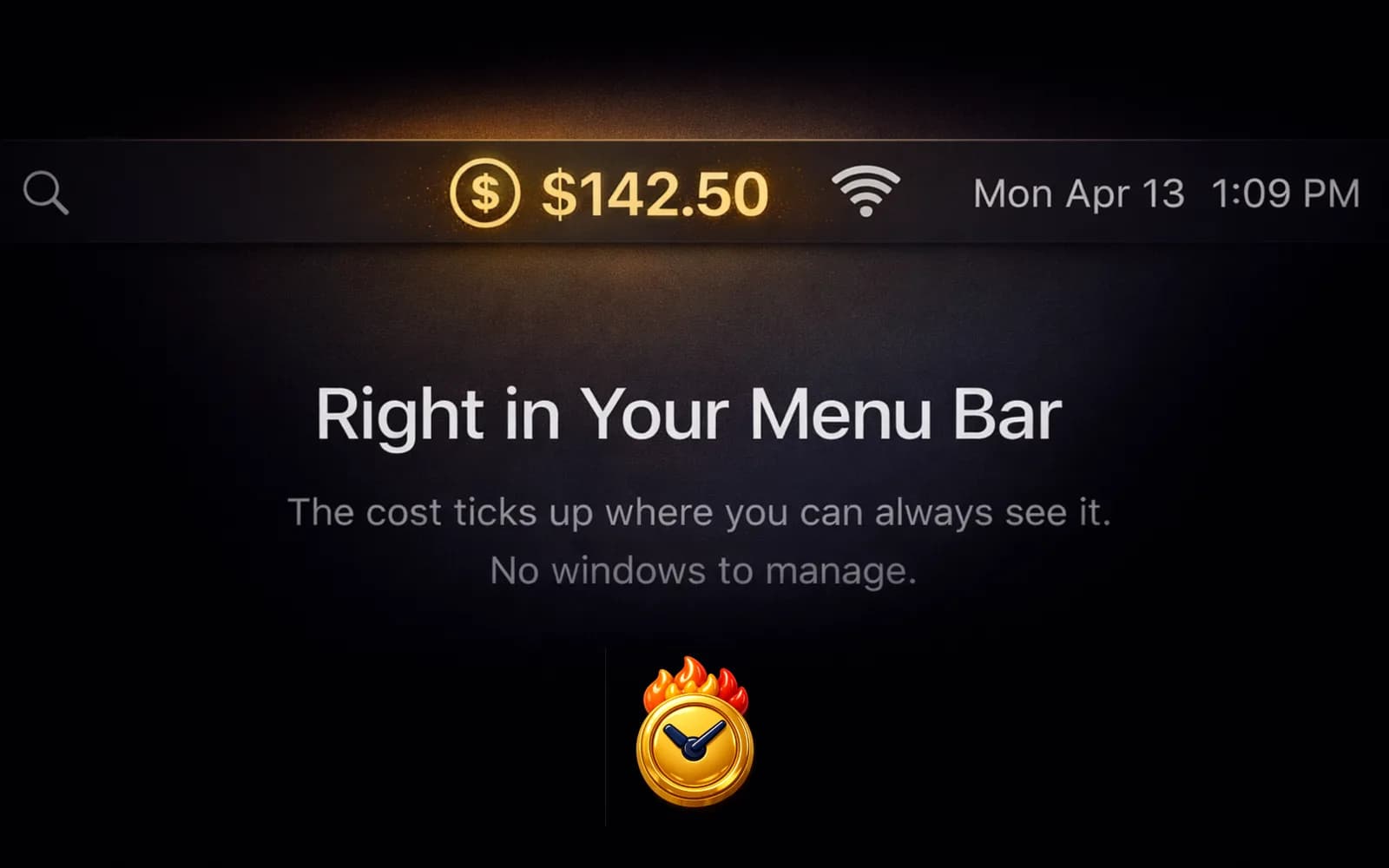
The four screenshots above, in order:
- Live cost ticker in the menu bar. The whole UX is this popover: set rate, set attendees, hit start, watch the number.
- Rate configuration. Attendee slider, hourly rate input. The slider caps differently on free vs. Team tier, inline in the SwiftUI binding, no feature-flag infrastructure.
- Session history. Recent meetings with cost and duration. Three visible on free, ten on Team.
- Meeting templates. Team-tier feature: save presets for recurring standups, planning meetings, etc.
That's the app. Eleven days. One commit. Zero rejections. And a 01:47 AM alert on my phone that said "MeetingCost is now available on the Mac App Store."